Every Design Workshop & Specialty Class is Included in The All Seasons Design Collection!
When you enroll in the All Seasons Collection, you get immediate access to the entire library of seasonal design workshops—spring, summer, fall, and winter—plus all of the specialty design classes and resources.
Get the collection and save nearly 60% off everything! If you bought each separately, it would cost $1,199.
What You Get In The Collection:


Inside the Spring Match Workshop - Intro To Design Edition
Creative Brief & Theme - Guide to this seasonal theme, mood board, colors, and plants for spring
How To Choose Spring Florals - My signature plant category method using spring florals
How to Choose Colors That Work - Easy to understand without a ton of color theory
Three Beginner-Friendly Procreate Floral Design Tutorials (all practice artwork is included)
Floral Bouquet Layouts Inspiration Guidebook - A complete 15-page layout design inspiration book with examples!
Plant Matching For Artists: A Visual Roadmap - A printable visual reference guide to plant categories
Two Spring-Inspired Procreate Color Palettes - The Spring Florals and Mighty Leaves Procreate Color Palettes (installation instructions included in the Help Center).
The Spring Workshop Procreate Tutorials
-

Horizontal Floral Layout Procreate Design Tutorial
In this beginner friendly floral design tutorial, we will create an easy floral layout with templates and practice artwork included in this approximately 16 minute instructional video.
-

Teardrop Floral Layout Procreate Design Tutorial
In this floral design tutorial we take our design skills further and add more florals to a teardrop shape design using templates, guides, and practice artwork in this approximately 18 minute instructional video.
-

Oval Floral Layout Procreate Design Tutorial
In this design tutorial we take what you learn about florals and plant categories in this workshop by creating a detailed floral oval design that is perfect for cards or art prints. Practice artwork, templates, and approximately 33 minute instructional video is included.

“I'm learning so much about flowers and greenery and have been using the field guides whenever I draw.”
“Denise is an amazing instructor; she's so detailed and provides so much valuable information in each class.”
— Miri Vega

Hi! I’m Denise Anne Palmer
Licensed artist, Illustrator, Pattern designer, & Online Educator
For more than a decade, I’ve created artwork for brands around the world.
I have taught hundreds of artists how to turn inspiration into sophisticated, professional floral designs that tell seasonal stories.
Inside The All Seasons Collection, you get all my most-loved design-focused workshops and specialty classes at the best price, so you can turn your love for florals into incredible, portfolio-worthy art.


Inside the Summer Match Workshop - Destination Edition
Creative Brief & Theme - Guide to this seasonal theme, mood board, colors, and plants for summer
How To Choose Summertime Tropical Florals - My signature plant category method using summer florals
The Seven Characteristics Of Tropical Plants A Guidebook For Artists - Learn what makes tropical plants so unique so you can easily find them and be inspired to use them in your artwork.
Three Procreate Floral Summertime Design Tutorials (all practice artwork is included)
Tropical Floral Layouts Inspiration Guidebook - A complete 15-page layout design inspiration book with tropical examples!
Illustrating Plants With Movement A Mastery Breakdown Note Guide - A guide with my notes and breakdown on how I illustrate plants with tips on how to create movement in your plant illustrations.
The Endless Summer Procreate Color Palette - (installation instructions included in the Help Center).
The Summer Workshop Procreate Tutorials
-

Create An Open Wreath Layout Design Tutorial
In this step-by-step tutorial learn how to create a floral open wreath design where we practice together with guides and artwork included. You will learn how to put together tropical flowers in Procreate. Approximately 33 minutes of video instructions in this tutorial.
-

Create A Tropical Edge Layout Design Tutorial
Learn how to create a corner edge design that is a versatile layout for products like stationery, journals, and even a beach towel! Includes Procreate template with guides, and practice artwork included, with approximately 18 minutes of video instructions in this tutorial.
-

Create A Lifeguard Stand Layout Design Tutorial
In this step-by-step video tutorial we create a fun lifeguard stand layout design out of tropical flowers and beach elements. Tutorial includes guides, practice artwork, and approximately 55 minutes of video instructions in this tutorial.
“I LOVE, LOVE, LOVED,
Your Summer Match workshop!”
“Your workshop showed me the possibility of incorporating my art into digital formats and I hope to get an iPad at some stage to continue the process.”
— Janelle Moore


Inside the Fall Match Workshop - Nightfall Edition
Creative Brief & Theme - Guide to this seasonal theme, mood board, colors, and spooky inspired plants
How To Choose Spooky Magical Florals and Plants - My signature plant category method using spooky florals
Six Interesting & Uncommon Plants To Use In Your Artwork - This printable resource covers six interesting and uncommon plants, and you'll learn more about some of the plants in this workshop.
Three Procreate Nightfall Design Tutorials (all practice artwork is included)
The Nightshade Procreate Color Palette - Colors inspired by this spooky theme and ready to use in Procreate (installation instructions included in the Help Center).
The Nightfall Workshop Procreate Tutorials
-

Master Glow Effects & Floral Moon Design Tutorial
In this two part step-by-step Procreate video tutorial learn how to use florals to create a moody moon design and master glow effects with the stars we create in this tutorial. All floral artwork, templates, color palette, and approximately 35 minutes of instructional video lessons are included.
-

Design A Journal Book Cover & Lettering Tutorial
In this three part tutorial learn how to create a journal book cover design in Procreate with the included florals to create the book cover. We also create the front lettering, and the back cover design in this step-by-step tutorial. Practice artwork, templates, sketches, color palettes, and approximately 64 minutes of instructional video lessons are included.
-

Draw A Floral Butterfly Using Symmetry Design Tutorial
In this two part butterfly Procreate tutorial learn how to create a butterfly floral print design. In part 2 of this tutorial, we use symmetry and draw the butterfly together from a sketch. Practice artwork, templates, sketches, color palettes, and approximately 55 minutes instructional video lessons are included.
“I struggle with composition, and it really helped me.”
“I also love seeing your process and hearing the logic behind your design choices.”
— Kimberly Erickson
“I walked away with greater confidence in my creative voice…”
“It invited me to slow down, work intuitively, and translate the richness of the season into layered, intentional digital florals and a renewed appreciation for how digital florals can carry emotion, mood, and story.”
— Dawn Jenkins Hyman
“The fall workshop really helped me with designing arrangements.”
“The resources provided are also very helpful and inspiring in the creation process.”
— Catherine Albert


Inside the Winter Match Workshop - Patterns in Wonderland Edition
Creative Brief & Theme - Guide to this seasonal theme, mood board, colors, and plants for wintery holiday designs
How To Choose Holiday-Inspired Florals and Greenery - My signature plant category method using winter-inspired florals
Key Settings for Creating Patterns in Adobe Photoshop Video Walkthrough & Checklist
Five Adobe Photoshop Seamless Pattern Design Tutorials (all practice artwork is included)
How to Create Gift Wrap with Your Patterns - Walkthrough lesson
Adobe Photoshop Templates and Guides for Patterns & How to Organize Your Artwork Lesson
Adobe Photoshop & Procreate Color Palettes - The Winter Wonderland color palette is provided in both formats for design work (installation instructions included in the Help Center).
Learn How to Design Repeating Patterns in Adobe Photoshop
Includes FIVE beginner-friendly pattern design tutorials plus helpful videos to walk you through Adobe Photoshop’s features so you can navigate the program easily.
-

Frosted Winter Forest Fern Pattern Design Tutorial
Learn how to create a tossed-single stem seamless repeating pattern design in Adobe Photoshop. This is an easy, step-by-step design tutorial that includes the artwork and lesson template to practice with and follow along. Approximately 32 minutes of video instruction included.
-

Little Cardinal In Flight Pattern Design Tutorial
Learn how to design a row-style seamless repeating pattern design in Adobe Photoshop with this beginner tutorial. In this fun, holiday-themed design you will create a pattern with the included bird art and lesson template. Approximately 21 minutes of video instruction is included.
-

Pear and Petals Pattern Design Tutorial
Create a structured-floral pattern design in Adobe Photoshop with this easy two part tutorial. You will master adding in elements in a semi-symetrical way, and how to recolor parts of your design in other colorways. Practice artwork and tutorial template is included, with approximately 1 hour 15 minutes of video instruction.
-

Wonderland Deer Wreath Pattern Design Tutorial
In this two part tutorial, learn how to create a symmetrical wreath and deer seamless pattern design in Adobe Photoshop. In part one, we create the wreath and design elements, and in part two, we create the repeat. Practice artwork and templates, with approximately 1 hour and 20 minutes of video instruction is included.
-

Winterberry Wonderland Pattern Design Tutorial
Learn how to create a large floral pattern design using many different plants from our plant categories! We also go over spotting errors in your pattern and how to fix them. Practice artwork, template, and approximately 1 hour and 12 minutes of video instruction is included in this tutorial lesson.
-

Beginner Friendly Extra Help Content & Expert Guidance
The videos in included in the Extras and Help Center sections of this workshop cover helpful tips for beginners, organizing your artwork for multiple products and production, and the workshop includes support and a community chat group to get your questions answered.
Also Included Are These Specialty Classes!
-
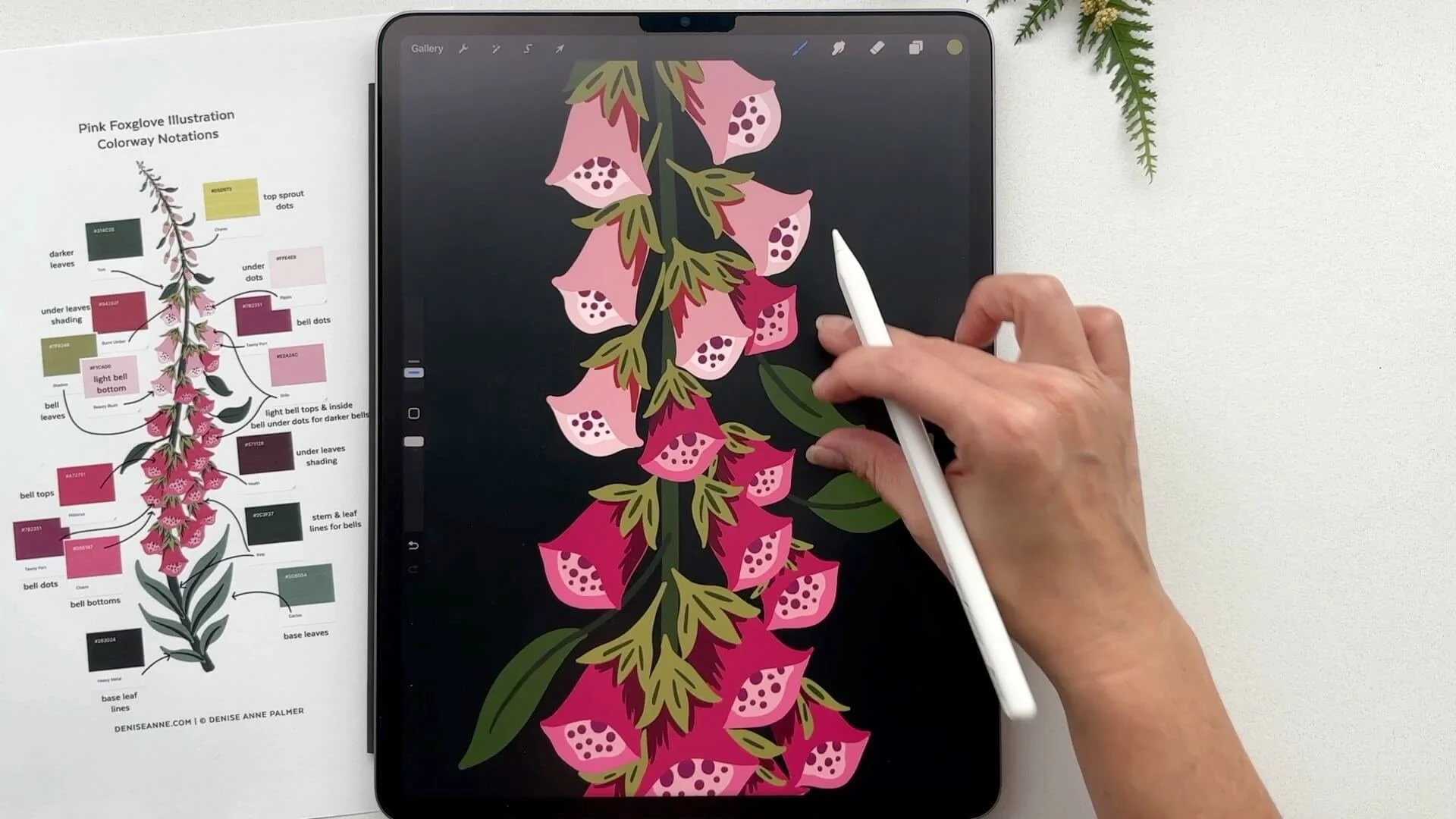
Foxglove Flower Procreate Drawing & Illustration Class
-
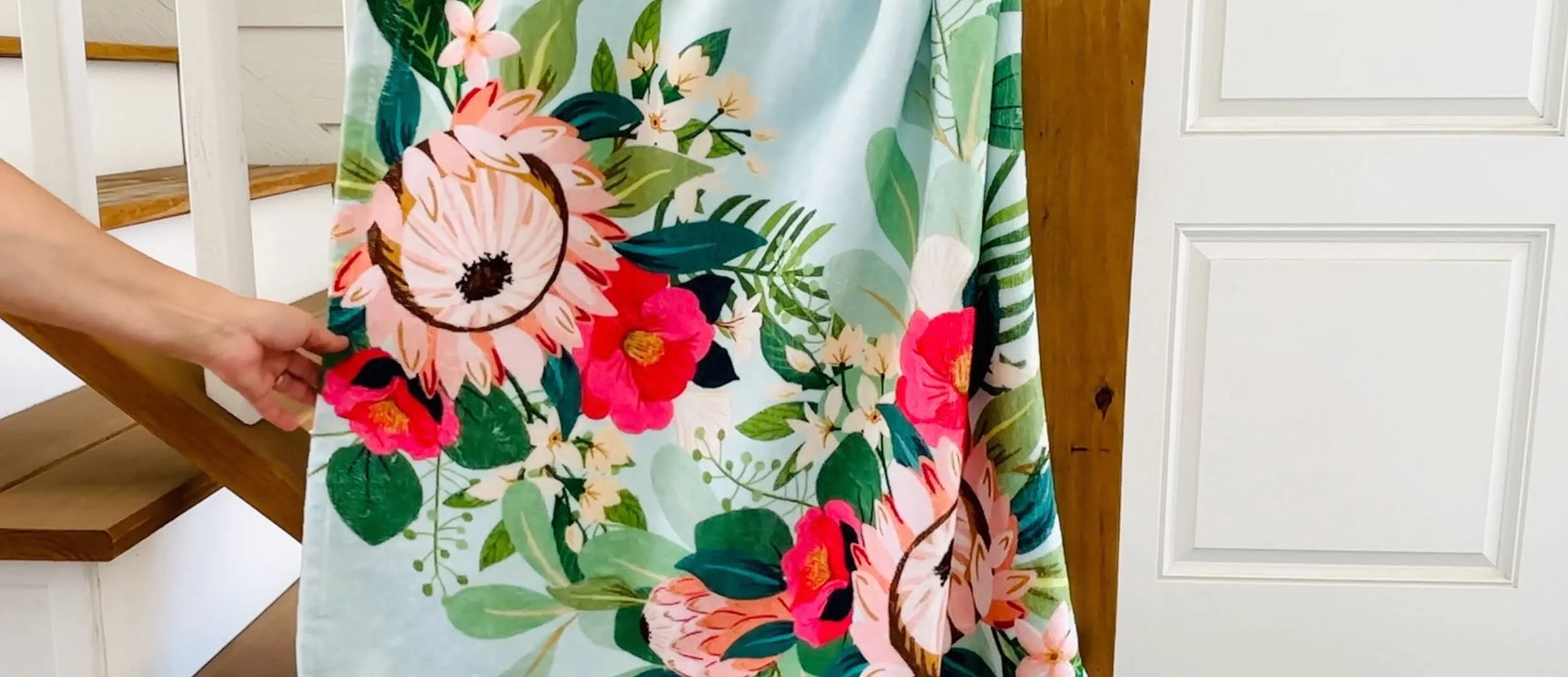
Beach Towel Summer Workshop Add On Design Class
-

Spring Floral Bunny Procreate Design Class
The All Seasons Collection FAQs
The Collection includes access to a creative community of artists and support from me in a private community where you can message me directly for support. There is also a Help Center with tons of quick videos to get you started and tips for using the programs we use throughout the workshops and classes.
Have a question before you sign up? You can reach me at contact@deniseanne.com
-
Yes! Everything is step-by-step with video and written lessons. I designed the lessons to walk you through each method and process from start to finish.
-
You can learn the concepts taught in the workshops and classes without needing the program or an iPad. But if you want to follow along and practice then you will need Procreate, an iPad, and Apple Pencil to use the Procreate file templates.
-
You will have lifetime access to the content and bonus materials for this edition and release of this complete collection. If, for any reason, a workshop or class is shelved in the future, you will be notified well in advance.
-
Yes! Support is included, and you will have access to a community of fellow artists and designers where you can share, post questions, and get help. You can message me directly inside the community or email me for assistance. There is also a full Help Center of quick reference videos to help you get started right away with tips for using the programs Procreate and Adobe Photoshop, and other helpful tips too so you never feel stuck.
-
The workshops, classes, and content are not live and videos are pre-recorded so you can move through them at your own pace.
-
If you purchase this collection bundle and discover that it is not right for you, contact me within 15 days of purchase, and I will refund your purchase. I am only offering this refund option on this bundle collection offer.
-
No, all artwork provided in my workshops are for learning and practicing the lessons taught and may not be used in any commercial design for sale in any way. You may only use it for personal use to learn the concepts in the workshops.
-
No, you don't need Dropbox. The downloadable files can be downloaded from the course platform to your computer or device. But, if you have a free Dropbox account you can use it to access files from your iPad. See Dropbox Basic plan and their site for more details.
-
This complete collection is going to be available for a limited time period. I will not be offering lifetime access passes to my workshops and classes indefinitely. I do not have a date as to when I will stop offering it, but it is the best price option to get everything at this time.
Here is what you get:
The Spring Workshop - Regular Price: $185.00
The Summer Workshop - Regular Price: $185.00
The Fall Workshop - Regular Price: $247.00
The Winter Workshop - Regular Price: $297.00
Foxglove Illustration Class - Regular Price: $95.00
Spring Bunny Design Class - Regular Price: $95.00
Beach Towel Design Class- Regular Price: $95.00
Total if purchased separately = $1,199.00
The All Season Collection Costs: